Let’s be honest. If you sell PHP scripts, CRMs, or HTML templates on CodeGrape, you already know the drill. A buyer downloads your product, sets it up on their server, and within a week, their database is full of signups from “asdf@gmail.com” and “+123456789”.
We used to just throw a quick Regex at the input field to check for an “@” symbol and call it a day. That doesn’t work anymore. Buyers are tired of scripts that blindly accept whatever junk data a user types in.
If your product doesn’t actively block spam bots and disposable emails right out of the box, it’s just creating more manual work for your customer.
To stand out in the marketplace today, you need to build scripts that actually filter and clean data automatically.
The Problem with “Dumb” Forms
When a buyer drops your lead-gen script onto their site, they are opening the floodgates. If your code doesn’t filter out the junk before it hits the database, they end up dealing with:
- Wasted Time: Sales reps calling disconnected or fake numbers.
- Ruined Domains: Marketing emails bouncing, which completely wrecks their sender reputation.
- Database Bloat: Paying for CRM seats just to store unverified, useless contacts.
This is actually a massive opportunity for you as a developer. If you can build in a way to clean this data automatically, your standard $15 script suddenly feels like a premium SaaS tool.
Turning a Simple Email into a Full Profile
Nobody likes filling out 10-field forms. If your script forces users to type in their company name, size, and location, conversion rates will tank.
Instead, you can just ask for a work email and let a B2B Data Enrichment API do the heavy lifting in the background.
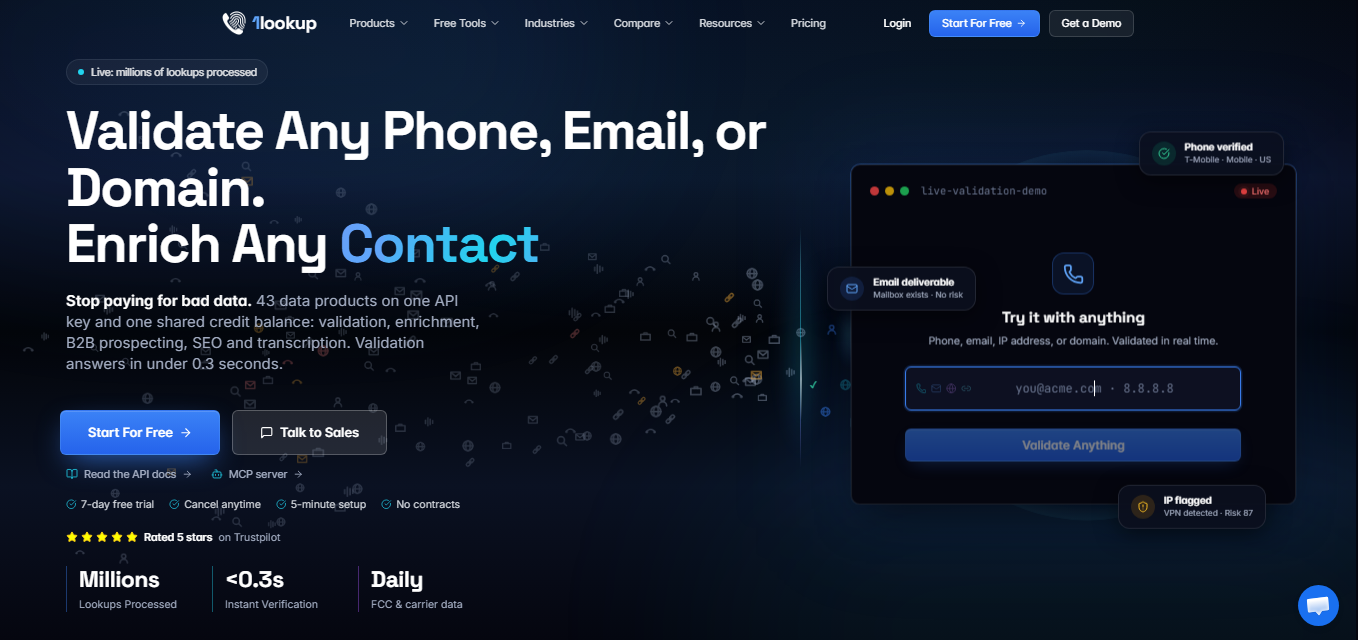
The script grabs that single email, pings the API, and automatically pulls in the company’s industry, employee count, and geographic location.
If your buyer is using your template for something highly targeted – like running campaigns and email marketing for Shopify stores – having Predis.ai and this data appended automatically means they can segment their lists instantly without annoying their users with long forms.
Blocking the Junk Before It Hits the Database
Of course, pulling firmographics only works if the email is actually real. Before you save a single row to your SQL database, you need to route the input through a Contact Verification API.
Regex won’t tell you if a mail server is actively accepting messages or if someone is using a 10-minute temporary email address. A proper API call takes milliseconds.
It checks the MX records, verifies if the phone number is a risky VOIP line, and stops fraudulent signups dead in their tracks. It protects your buyer’s sender score so they don’t get blacklisted by Gmail or Outlook.
Sorting the Good from the Bad
If you’re building a more complex CRM or sales dashboard for CodeGrape, you can take this a step further. Instead of just listing every signup chronologically in the admin panel, you can use a Lead Enrichment API to score them.
This lets your script push high-value enterprise leads to the top of the queue and dump low-tier signups into an automated sequence.
It’s a feature buyers usually pay hundreds of dollars a month for on enterprise platforms, and you can bake it right into your script’s logic.
How to Actually Code This
Adding this to your product isn’t complicated. Most modern data tools use standard REST setups, so you’re just writing a quick PHP cURL request or a JS fetch call.
You grab the form payload, send it to the endpoint, read the JSON response, and decide whether to run the INSERT query.
Here is what a basic PHP check looks like in practice:
PHP
// A simple check before saving to the DB
$response = file_get_contents(‘https://api.1lookup.io/v1/email-verify?email=’ . urlencode($user_email) . ‘&api_key=’ . $YOUR_API_KEY);
$data = json_decode($response, true);
if ($data[‘is_valid’] && !$data[‘is_disposable’]) {
// Safe to insert into database
} else {
// Reject the form submission and show an error to the user
}
Pro Tip: Don’t hardcode your own API key. Just build a settings page in your script’s admin panel where the buyer can paste their own key. They handle their own billing with the provider, and your script stays lightweight.
Wrapping Up
Buyers don’t want to pay for scripts that collect garbage data. By dropping a few API calls into your PHP files to handle enrichment and validation, you instantly upgrade your product from a generic template to a smart tool that solves a massive headache.
Try adding it to your next CodeGrape submission and watch how your buyers react.