Is your website’s SEO ranking low due to its page speed? It’s not a problem. You can easily improve your SEO rankings by optimizing your WordPress website’s pagespeed.
Here, we will talk about pagespeed and how it affects your Search Engine Optimization (SEO) rankings. We will also help to increase the pagespeed of your wordpress website to improve your SEO ranking.
What is pagespeed and how to measure it?
Pagespeed is a metric that helps you understand the amount of time the browser takes to render your webpage’s content. Several factors can affect pagespeed, such as content quality, the physical distance between your user and your origin server, and more.
You can analyze your WordPress site’s pagespeed using Google PageSpeed Insights, Google Lighthouse, GTmetrix, and other online tools. You just need to put your wordpress site’s URL to analyze its pagespeed.
During your website’s pagespeed performance auditing time, you can see the suggestions, which you need to optimize to improve the overall pagespeed score.
Why a good pagespeed is important for SEO ranking?
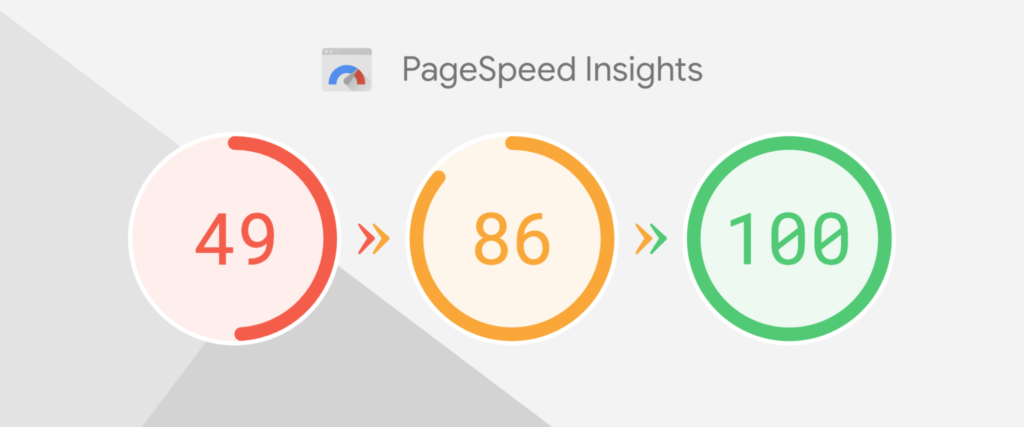
Pagespeed is a crucial factor in deciding your wordpress website’s performance. A fast-loading website can fulfill your user’s expectations and make your user more engaged with your website’s content.
By prioritizing the user experience, Google always considers the pagespeed in its Search Engine Optimization (SEO) ranking algorithm. Therefore, to improve your website’s ranking, you need to increase your website’s pagespeed. In this context, working with a White Label WordPress Development team can help optimize your website’s speed efficiently.
5 quick tips to optimize the pagespeed of your WordPress website
At this point, you have an idea about the importance of your pagespeed in your Search Engine optimization ranking. Here we will explore the 5 quick tips to optimize your wordpress website’s page speed performance to achieve a good SEO ranking.
The quick 5 tips to boost your wordpress website’s page loading time:
- Choose a proper WordPress theme
- Reduce your image size
- Reduce your unused CSS
- Implementing lazy loading
- Avoid using multiple plugins
Let’s discuss these 3 optimization strategies in detail.
- Choose a proper wordpress theme
Choosing a proper wordpress theme is one of the crucial things when you want to improve your page loading time. WordPress theme has its own coding files, that are also executed during your webpage loading time.
Therefore, when you choose your wordpress theme, there are certain factors that you need to keep in mind such as the theme’s size, total number of HTTP requests, and theme’s page speed.
Here we are listing the 5 fast-loading wordpress themes that you can use in your website for better pagespeed performance.
- Astra
- OceanWP
- Elementor
- Divi
- Neve
As the most powerful form of communication, Images have become an essential resource for websites. However, to provide a better-quality image, you often use a large image. These large-sized images are the main culprits of your slow-loading WordPress website.
Reducing unnecessary image file size can help pages load faster, especially on image-heavy WordPress websites. You can reduce image size in KB before uploading images to keep file sizes manageable without unnecessarily increasing page weight.
To optimize your WordPress website’s pagespeed, you need to losslessly compress your large image. The easiest way for your lossless compression is to convert your all images into WebP format or modern AVIF format.
RabbitLoader, Imagify, and Picflow you can reduce your image size without compromising its quality.
As we all know, CSS stylesheet files are used to provide the style to your website’s content. Some CSS rules are declared in your CSS stylesheet but not used on your website. This type of CSS rule is known as unused CSS.
This unused CSS increases your CSS file’s size and is considered a render-blocking resource. Therefore, it will increase your total blocking time as well as decrease the loading performance of your wordpress website.
Reducing this unused CSS manually is not only a time-consuming process, it requires a lot of coding knowledge in HTML and CSS. The best way to mitigate this issue is to use the WordPress plugins.
You can use RabbitLoader, WP Rocket, and other WordPress plugins to reduce your unused CSS and improve your WordPress website’s pagespeed, leading to a boost in your Google rankings.
- Implementing Lazy loading
Implementing lazy loading is another way to optimize your WordPress website especially, If you have a lot of images on your wordpress site. A lazy load allows the browser to render your above-the-fold images fast.
You can use RabbitLoader, a3 lazy load, and other lazy load wordpress plugins to implement lazy load in your WordPress website and boost your SEO rankings.
- Avoid using multiple plugins
According to Simpalm, a WordPress development firm, “Sometimes, using too many plugins in WordPress can harm your website’s pagespeed. Every wordpress plugin has its own coding file, that needs to be executed during the loading of your web page loading time.”
This can be one reason for your slow website. Thus, you need to choose an optimization plugin so that you do not need to use any other optimization tools.
For example, when you use RabbitLoader, you don’t need to use any other optimization tools for optimizing your images, implementing lazy loading, reducing unused CSS, or using other optimization techniques.
Conclusion
As you can see by optimizing your WordPress website’s page speed, you can improve your user experience as well as SEO ranking. Also, we mention the 5 quick tips to optimize your WordPress website by choosing the proper WordPress theme, reducing your image size, reducing your unused CSS, implementing lazy loading, and avoiding using multiple wordpress plugins.
If your WordPress website doesn’t rank well in Google searches, you’re wasting your time. Optimize your website’s pagespeed by implementing the above quick tips, and you’ll boost your SEO rankings and user experience.