After building a WordPress website, the next step is to install Google Analytics.
However, installing the Google Analytics tag on a website and reading the stats can be challenging if you aren’t tech-savvy and don’t have a strong analytics background. That’s why you need Google Analytics plugins to automate the tag’s installation and make traffic stats easier to understand.
Let’s walk you through the basics and benefits of Google Analytics.
What is Google Analytics?
Google Analytics is a web analytics tool that enables you to monitor the performance of your website and collect insights about your audience. Using the tool, you can know the number of people visiting the website daily, determine traffic sources, measure the average time spent on the website, and much more.
Some of the interesting metrics you can get from Google Analytics include:
- Number of users and sessions
- Top 10 landing pages
- Top queries in search
- Average session duration
- Average pages per session
- Average time on page
- Ratio of new to returning visitors
- Bounce rate
- Google Ads reports
- Search Console queries
- Goal conversion rate
Benefits of Google Analytics Plugins for WordPress
In addition to improving your site SEO, getting to know your visitors better, and identifying the best content to focus on, there are two major benefits of using Google Analytics plugins for WordPress.
First, the plugins make integrating Google Analytics tags into your website easy. Instead of copying the Google Analytics tag and pasting it manually in the HTML header tag on each page on your website, the plugins automatically do the job for you.
Second, the plugins bring Google Analytics stats into your WordPress admin dashboard so you don’t have to visit the Google Analytics platform whenever you need to read stats about your website’s performance.
Once you log in to your website, you can see traffic reports and other vital reports. In addition, stats and charts presented by plugins are easier to understand than those offered by Google Analytics.
Top 10 Google Analytics plugins for better insights on WordPress
It can be challenging to choose the right Google Analytics plugin for your WordPress site. We’ve narrowed down the top ten recommended plugins. Each plugin has unique features that help you get more out of Google Analytics and make better decisions for any WordPress website.
1. Analytify
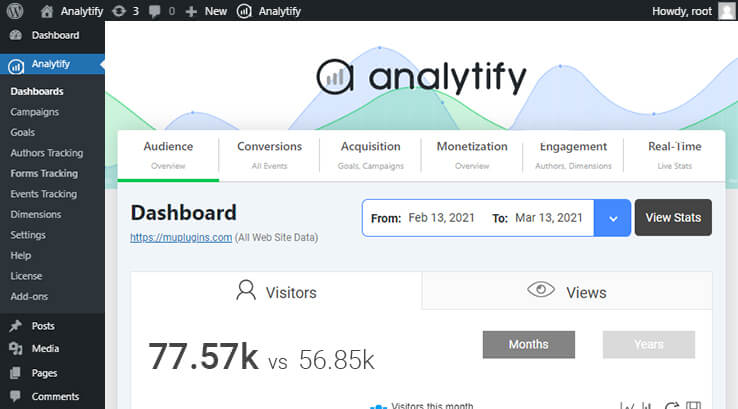
Analytify is a Google Analytics Technology partner used on over 900,000 WordPress websites. It transforms hard-to-understand stats into eye-catching charts.
Using Analytify, integrate complex e-commerce analytics tracking in your WordPress site to track product clicks and checkout. You can also see your most popular pages and best-performing marketing campaigns in a single dashboard view.
User reviews mention ease of use and fast customer support, so you know you’re in good hands.
Unique features:
- Social media stats reporting
- Measure ROI based on campaigns
- Automated email reports to clients
- Accessible with a screen reader
- View post stats on your front end without logging into the dashboard
Pricing:
- $59/year (Pro, one site)
- $99/year (Conversion, ten sites)
- $299/year (Developer, fifty sites)
2. Monster Insights
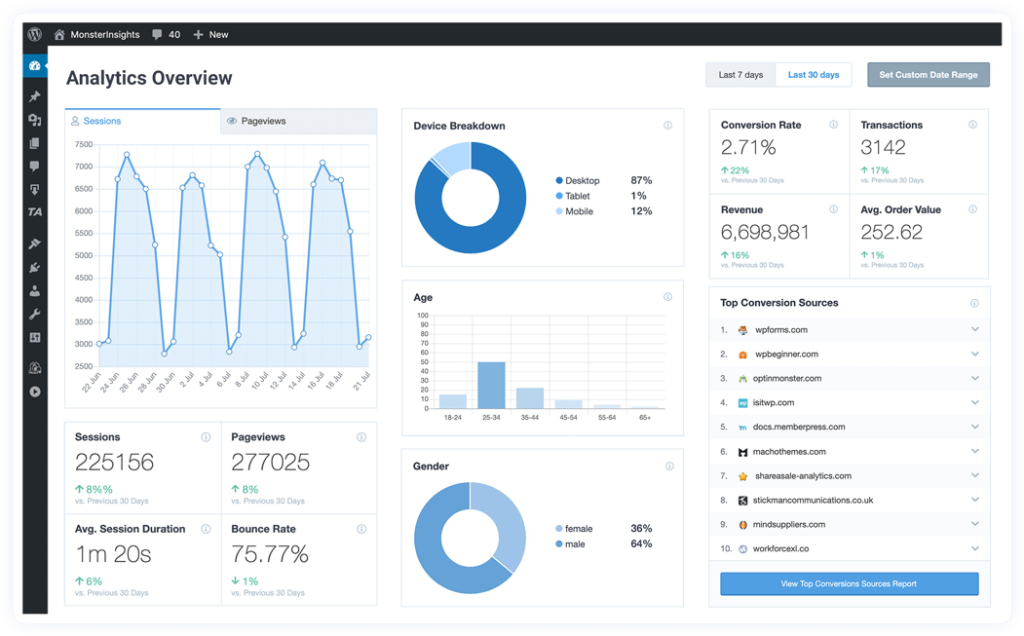
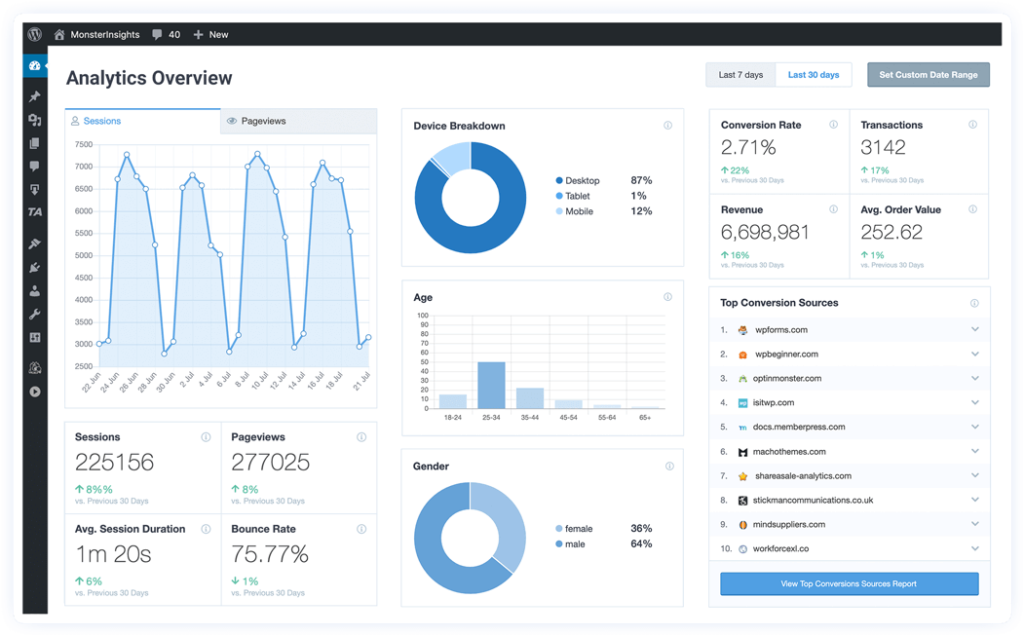
With over 3 million users, Monster Insights is arguably the most popular Google Analytics plugin for WordPress.
Like Analytify, this plugin tracks the most important metrics about your website. But the plugin stands out because its features easily set up advanced Google Analytics tracking.
Monster Insights supports the old Universal tracking and the latest Google Analytics 4 (GA4) tracking. You can run the old and new tracking concurrently using the plugin’s dual tracking feature.
WordPress DAM plugin also includes several useful add-ons that extend its functionality beyond measuring website traffic. A few of these include Google Search Console, Enhanced eCommerce Tracking for WooCommerce, Form Conversion tracking, and AMP Analytics. More importantly, if your website receives visitors from the European Union, Monster Insights has an add-on that makes your website tracking compliant with GDPR.
Unique features:
- Supports Universal and GA4 Analytics
- Reports visitors’ demography
- Integrates with Google Ads to show ad reports from the WordPress dashboard
- GDPR-compliant
Pricing:
- $99.50/year (Plus, 1 site)
- $199.50/year (Pro, 5 sites)
- $399.50/year (Agency, 25 sites)
3. Site Kit by Google
Developed by Google, Site Kit is a FREE all-in-one WordPress plugin for gathering insights about a website’s interaction with Google web tools.
With this plugin, view reports of Google Analytics, Search Console, AdSense, and PageSpeed Insight directly from your WordPress dashboard. Site Kit is also the plugin you need to integrate Tag Manager and Optimize with your WordPress website.
Unique Features:
- Easy to set up and configure
- Displays easy-to-understand web statistics from the WordPress dashboard
- Displays metrics for the entire website, as well as for individual posts
Pricing:
4. Lara’s Google Analytics
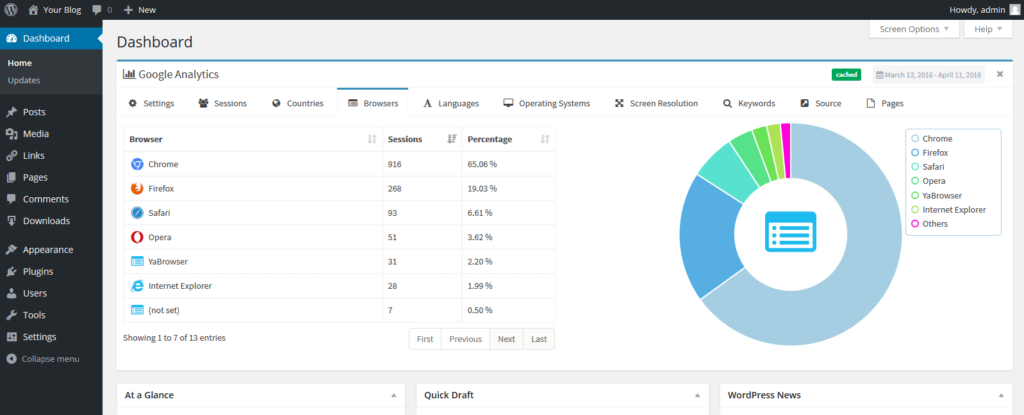
Like most of the Google Analytics plugins for WordPress on this list, Lara’s Google Analytics adds tracking code and view traffic reports from your WordPress dashboard. The plugin, see data about your website visitors, including the pages they view and their demographics.
Unique Features:
- Easy and quick to set up
- Reports real-time active users on site
- Google Search Console integration
- Full-width admin widget with beautiful graphs
Pricing:
5. WP Statistics
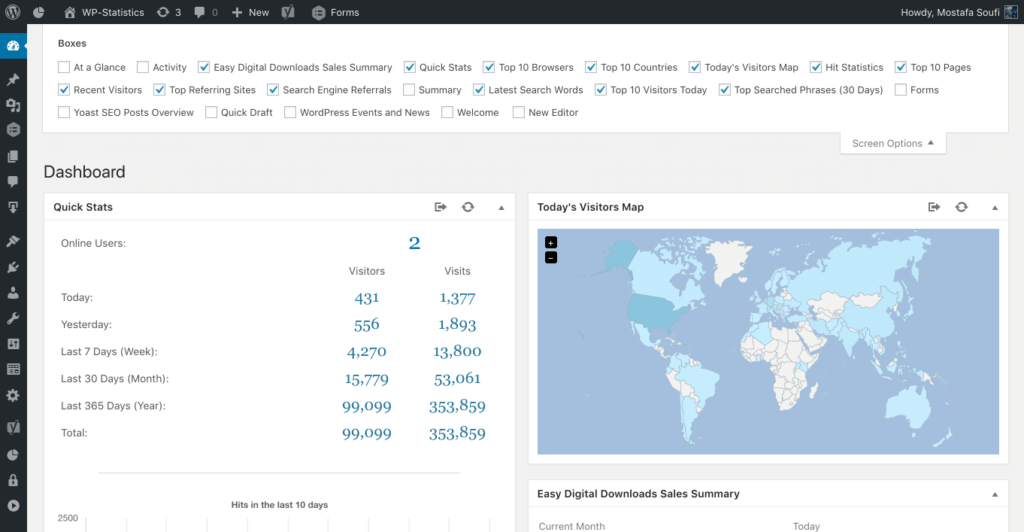
WP Statistics wasn’t designed to be a Google Analytics plugin for WordPress, but it made this list because of its ability to record a website’s visitors’ activities. Aside from recording visits, the plugin provides content reports, tracks the geographic location of website visitors, and reports real-time metrics.
Because the plugin isn’t a standard Google Analytics plugin, you don’t need a tracking code to use it. The plugin does all the tracking and data gathering, and the stats are stored directly on your website. This makes the plugin a perfect fit if you are not comfortable with sharing your website visitors’ data with Google.
However, over time, the accumulated traffic data and stats will increase the size of your website—increasing your backup size or requiring you to upgrade your hosting account’s size.
Unique Features:
- Filters data with numerous variables, including location, browser, keywords, and IP
- Supports tracking redirects from major search engines such as Google, Bing, and DuckDuckGo
- Supports data export as XML, CSV, or TSV files
Pricing:
- $39/year (1 site)
- $99/year (5 sites)
- $169/ year (unlimited)
6. Google Analytics Dashboard for WordPress
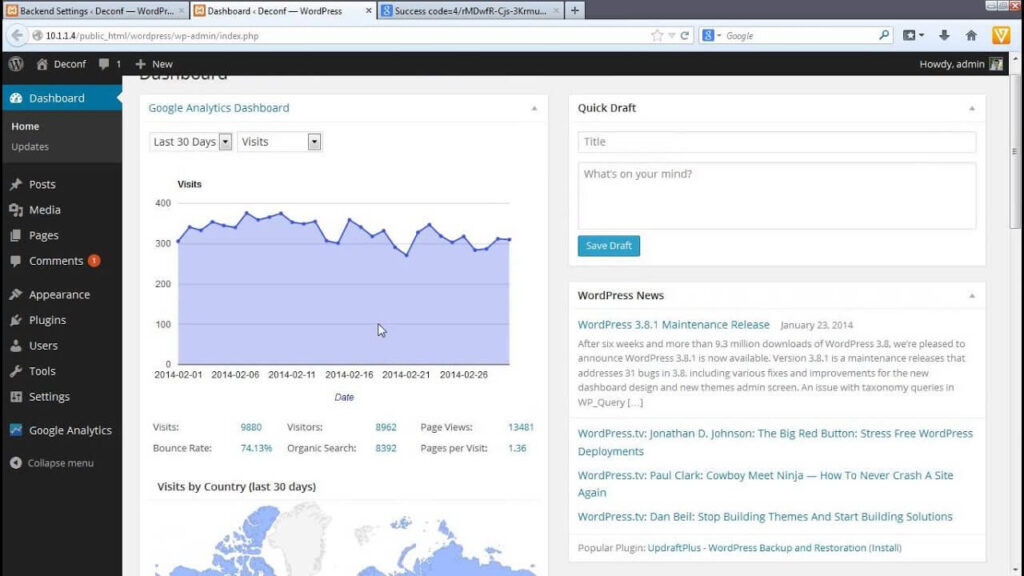
Used by over 1 million people, Google Analytics Dashboard for WordPress by ExactMetrics is the plugin of choice for tracking traffic and events on a website without writing any code or hiring a developer. The plugin’s Google Analytics integration method ensures web admins accurately track all activities on their websites, which may be difficult to achieve when the tracking code is copy-pasted directly into WordPress.
Like Monster Insights, the plugin supports the dual tracking mode of Universal Analytics and Google Analytics 4 (GA4).
Unique Features:
- Supports eCommerce tracking
- GDPR / CCPA Compliant
- File download and outbound link tracking
- Google AMP tracking
- Headliner Analyzer
Pricing:
- $99.50/year (for small businesses)
- $199.50/year (for e-commerce sites)
- $399.50/year (for agencies)
7. Conversios.io
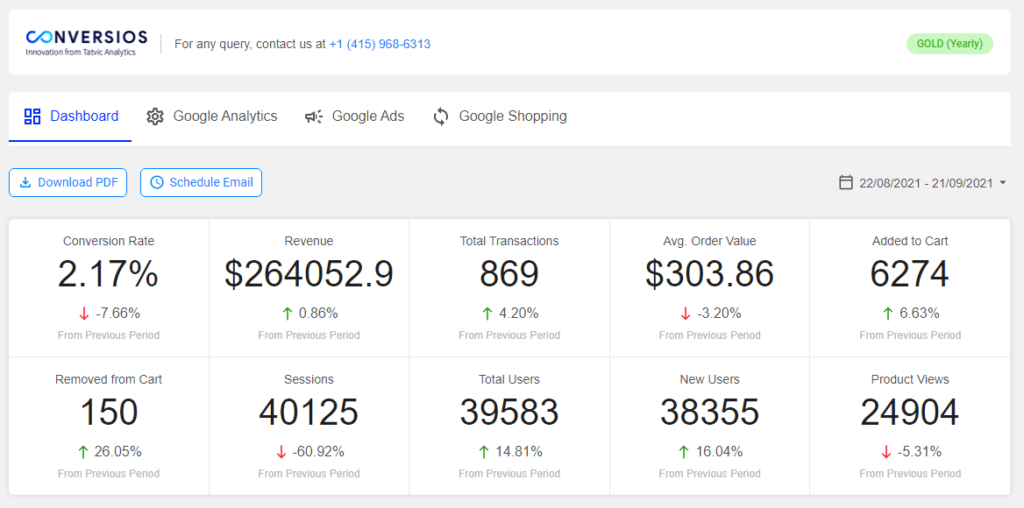
Conversios.io is slightly different from other plugins in this list, as it is strictly a WooCommerce Google Analytics plugin for WordPress.
It is used in over 50,000 WooCommerce stores. Beyond getting traffic data about your eCommerce store, this plugin increases sales on your online store by supporting the automation of dynamic remarketing and Google Shopping.
Unique Features:
- Provides shopping and checkout behavior reports
- Allows the management of Google Merchant Center Account
- Provides actionable shopping campaign reports
- Supports dynamic remarketing tags for eCommerce events
- Facilitates free consultation with Google Shopping Expert
Pricing:
- Free
- $19/month
- $29/month
- $49/month
8. Matomo
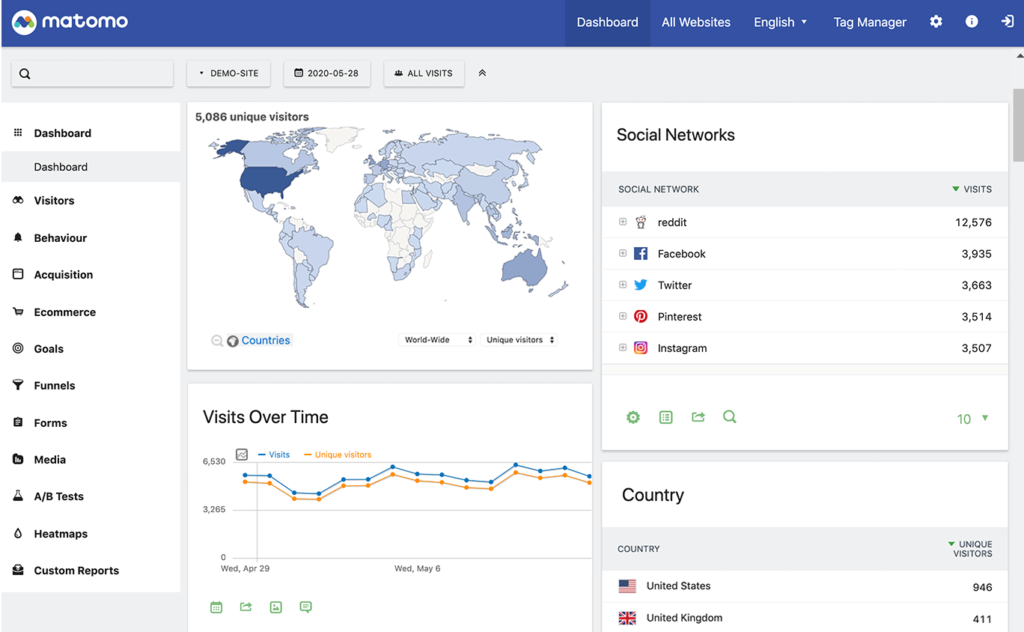
If we call a spade a spade, Matomo is a Google Analytics alternative. But we put it on our list because the plugin is a suitable substitute for web admins who are keen on privacy and don’t want to share data with Google.
With Matomo, track your web traffic and see detailed reports about the visitors’ demography. The plugin also provides keywords and other vital metrics you would see on Google Analytics.
Unique Features:
- Generates heatmap
- Supports session recording, A/B testing, and form analytics
- GDPR compliant
Pricing:
- 21-day free trial
- Premium pricing starts at $23
- GA Google Analytics
GA Google Analytics is a lightweight plugin with limited features, but it’s a worthy mention because of its ability to disable the tracking of website admin users. This ensures data gathered from your website isn’t bloated by logged-in users such as admins, editors, and authors working on the website.
Unique Features:
- Supports Google Analytics 4
- GDPR-compliant
- Supports configuration of multiple tracking codes
- Disables admin area tracking
Pricing:
- Free
- $20 one-off fee for access to more features
10. Analytics Cat

Analytics Cat is a very basic Google Analytics plugin for WordPress. It doesn’t come with as many features as other plugins on this list, making it bloat-free. All the plugin does is install Google Analytics tracking code on your website—nothing more.
Pricing:
FAQs about Google Analytics Plugins for WordPress
- What is the best free Google Analytics plugin for WordPress?
If all you want is to add the analytics tracking code to your website, the best free plugin for doing that is Analytics Cat. However, if you want advanced features like reporting and integrating your website with other Google web tools, Site Kit by Google is the best free Google Analytics plugin.
- How do I add Google Analytics to a WordPress plugin?
To add Google Analytics to a WordPress plugin, go to the Google Analytics website to create an account with your Gmail or GSuite account. Then supply the URL of the website you want to track. After that, follow the instruction to generate the Measurement ID, made up of 11 alphanumerical characters that start with “G-”
Once you have the Measurement ID, go to your Google Analytics WordPress plugin and add it to the provided space for the ID.
- How do I link Google Analytics to my WordPress website?
You can link it to your website using Google Analytics plugins or WordPress code inserter plugins.
- Do you have to pay for Google Analytics?
No, using Google Analytics to track your website is free. The standard usage on its official platform is to see your web reports. However, some Google Analytics plugins for WordPress charge a yearly fee if you want to see your web traffic reports and do other related things directly from the WordPress dashboard.
Seamlessly integrate Google Analytics with WordPress
Google Analytics plugins are tools you should have in your WordPress arsenal. They make tracking and reading web stats effortless. Whether or not you consider yourself tech-savvy, you will benefit from their features. We hope that in this list, you’ve found a suitable plugin that meets your needs.